Find out what's possible
when Soroban connects
Whether you're building smart contracts or deploying to Stellar, Stellar Kit (prev. Stellar Suite) makes it easier to build, deploy, and simulate — all from VS Code.
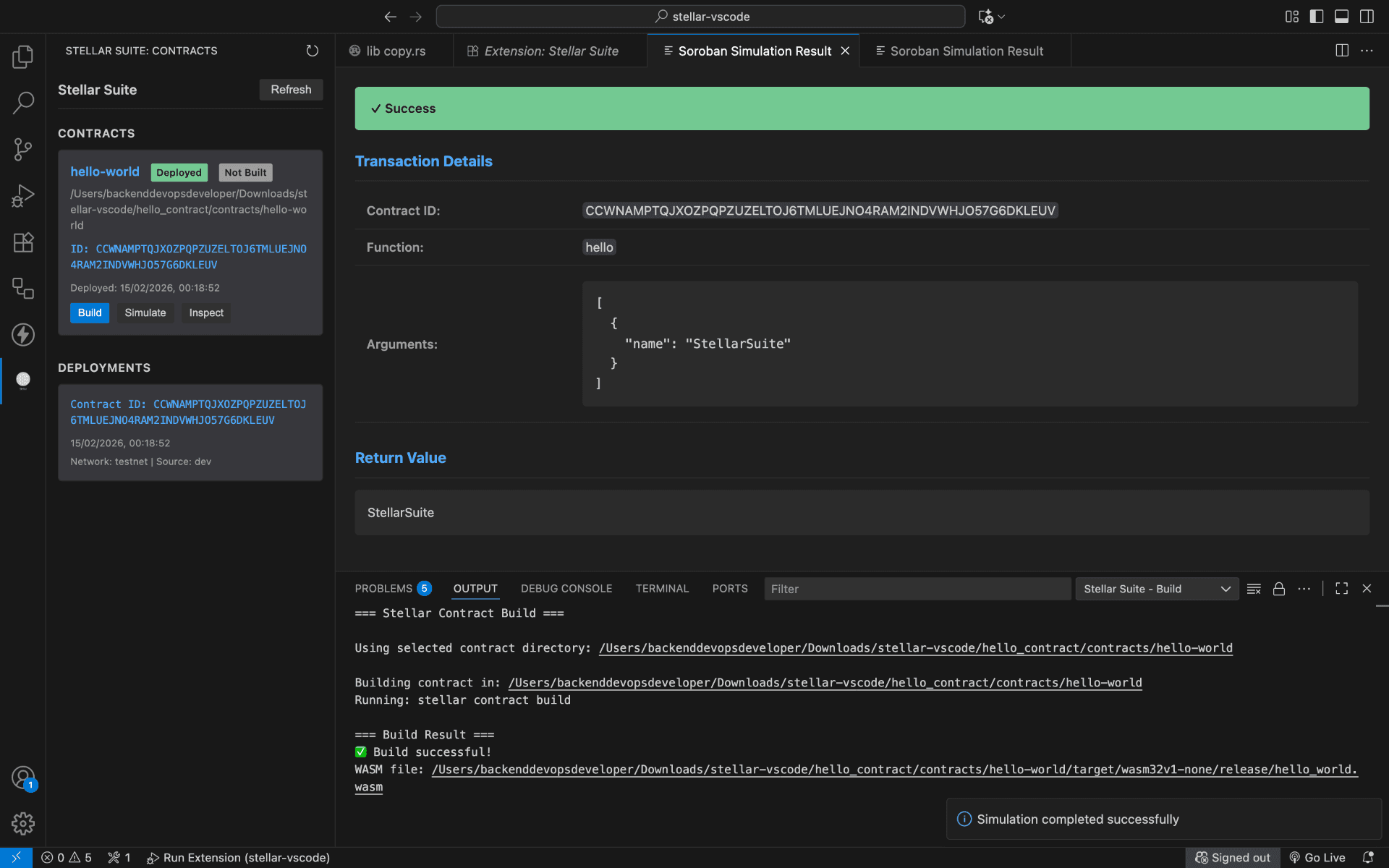
MVP screenshot — extension was then named Stellar Suite (now Stellar Kit).
Everything you need to build on Soroban
A complete toolkit that replaces the Stellar CLI with a visual, intuitive experience.
One-Click Deploy
Deploy smart contracts to testnet or mainnet directly from VS Code.
Transaction Simulation
Test and simulate Soroban transactions before deploying to the blockchain.
Contract Scaffolding
Create and manage Soroban projects with built-in templates and tooling.
No CLI Needed
Every Stellar command runs inside VS Code — no terminal switching required.
Integrated Testing
Run contract tests with real-time feedback and inline error reporting.
Lightning Fast
Optimized builds, deploys, and simulations that happen in seconds.
Endless ways to build on Stellar.
From deploying contracts to simulating transactions, Stellar Kit delivers the tools you need. Every workflow is faster, easier, and more intuitive.
One-click deployment lets you push Soroban smart contracts to testnet or mainnet without leaving VS Code.
- One-click deploy: Select your target network and deploy instantly — no terminal commands needed.
- Environment management: Switch between testnet, futurenet, and mainnet environments effortlessly.
- Deploy history: Track every deployment with built-in logs and contract addresses.
- Error handling: Get clear, actionable error messages right in your editor when deployments fail.
Visual workflow in VS Code · Stellar Kit (prev. Stellar Suite) extension. MVP screenshots may show "Stellar Suite" in the UI.
● What's new
Making news, making impact
Stellar Kit 1.0: Build, deploy & simulate in VS Code
The first stable release brings one-click deployment, transaction simulation, and full contract management to your editor.
Why developers are switching to Stellar Kit
From memorizing terminal commands to clicking a button — see how Stellar Kit transforms the Soroban workflow.
Deploy NFTs on Soroban in under 60 seconds
A step-by-step guide using Stellar Kit to scaffold, build, and deploy an NFT contract to testnet.
Simulate easily with Stellar Kit
Simulate transactions easily with Stellar Kit's intuitive interface.
Trusted by developers. Built for Stellar.
"Stellar Kit turned my Soroban workflow from a 10-step CLI dance into a single click. I can deploy, simulate, and test without ever leaving VS Code."
Alex Chen
Stellar Developer
Start building in seconds
Install the extension, open a Soroban project, and you're ready to deploy. No configuration required.